
One pipeline from upload to a reviewed record
Intake, understanding, review and use in one platform, with people in the loop where it matters. This page describes what the platform does today; items that are not yet available are marked.
How a document moves through Droqify
-
Upload
PDF, Word and image files.
-
Classify
Identify the document type.
-
Match schema
Choose the fields to extract.
-
Extract
Read each field with a confidence score.
-
Review (human review)
A person approves or corrects, where enabled.
-
Use the results
Summaries, search, chat and the API.
Intake and understanding
Read what arrives, whatever shape it is in
Upload PDF, Word and image files. Each document is classified by type, and a file that holds several documents can be split by page range.
- PDF, Word (.doc, .docx) and image (.jpg, .png) files in the portal; scans are read with OCR
- Multi-type classification returns the page range for each document type
- Documents that match no schema are flagged for review instead of being guessed
- Pages 1–2
- Claim formReady
- Pages 3–5
- Repair estimateReady
- Page 6
- No schema matchNeeds review
Synthetic example.
Schemas and extraction
Extract the fields you define
Define your own schemas, generate one from a sample document, or start from one of 38 industry packs (24 are early access: 7 Canada, 17 New Zealand and Australia). Every extracted value carries a confidence score.
- Customer-defined and AI-generated schemas
- Per-field confidence scores; low-confidence documents are flagged
- Industry packs for insurance, healthcare, legal, banking, logistics, real estate and government
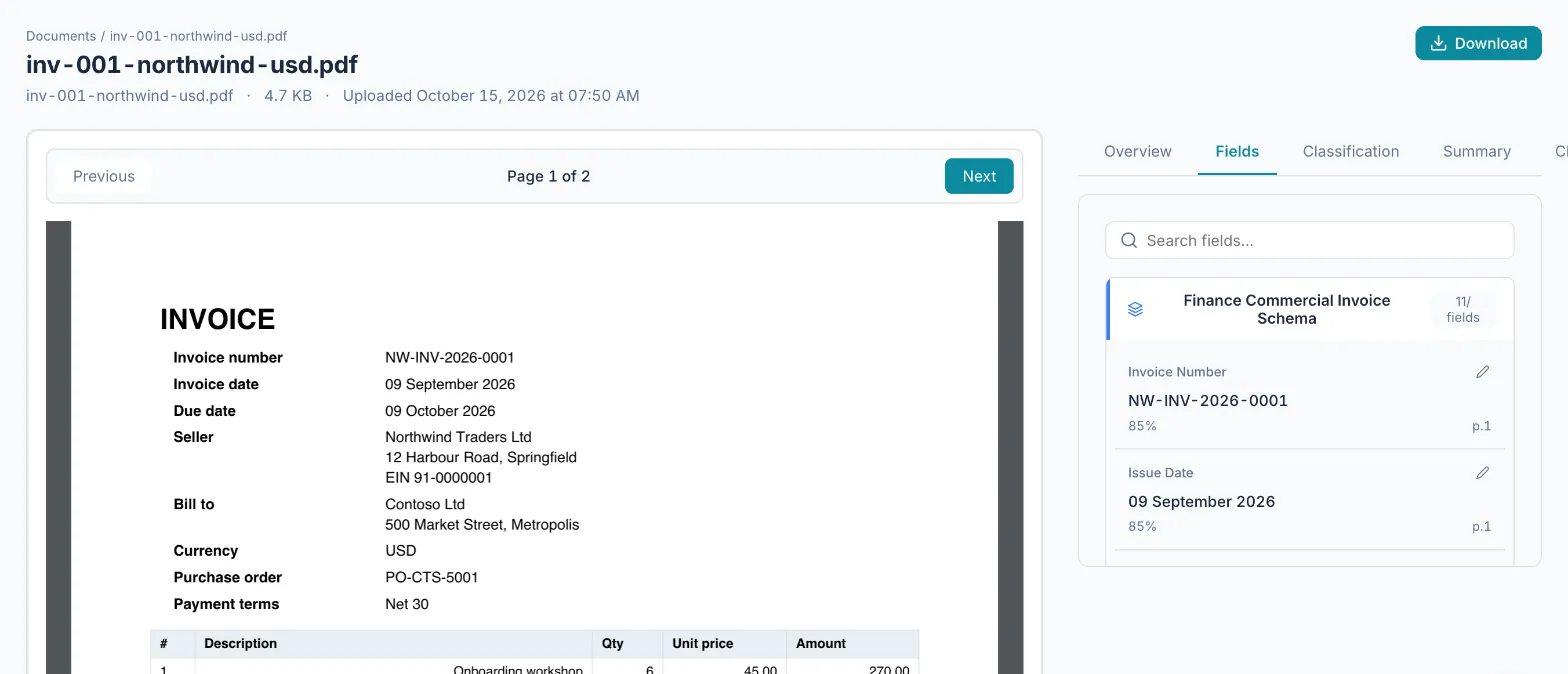
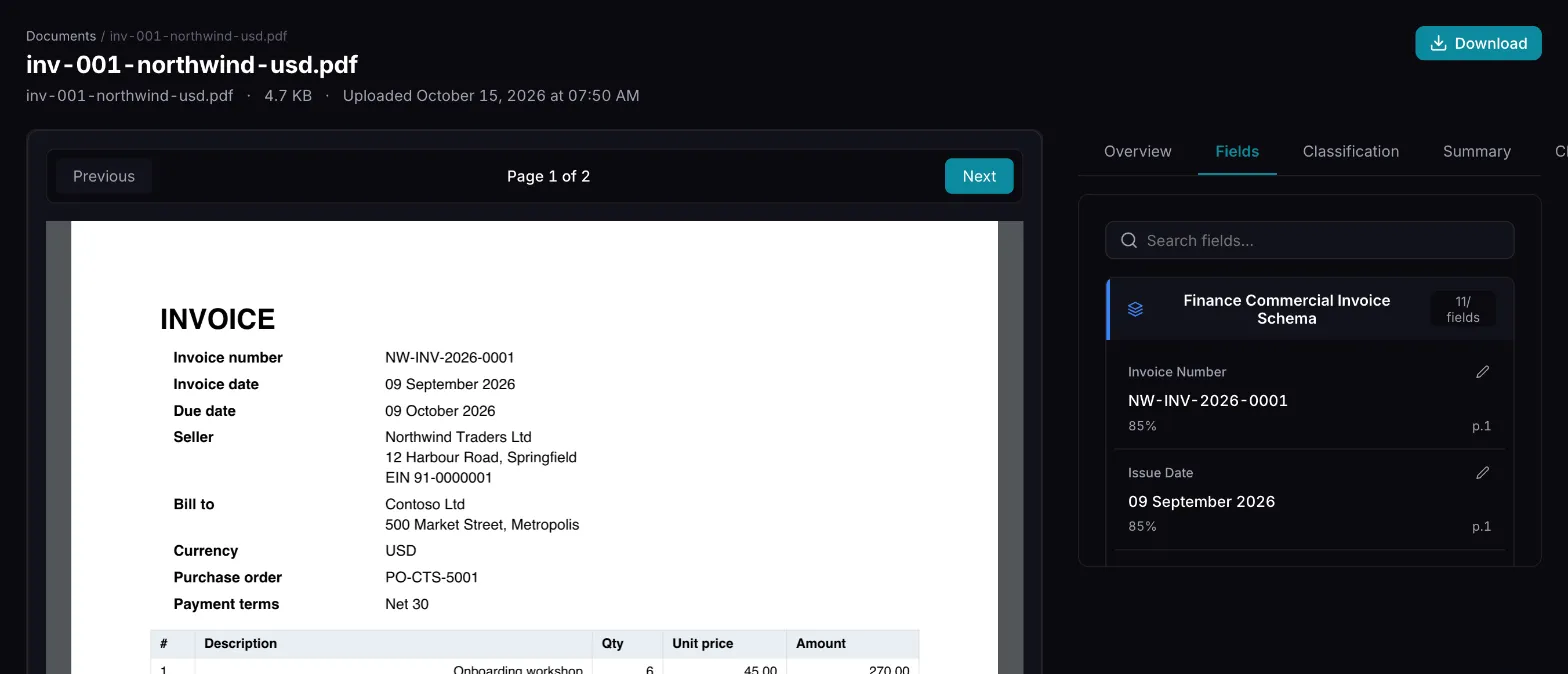
Human review
People confirm what is uncertain
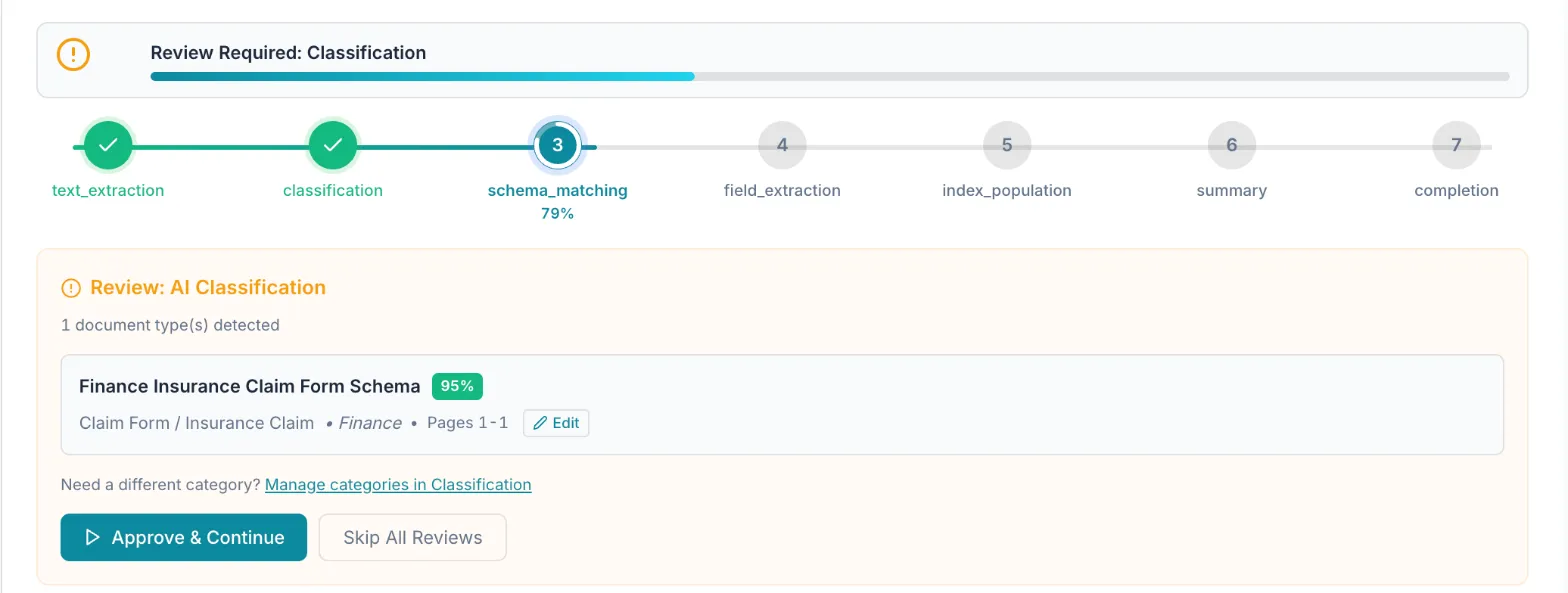
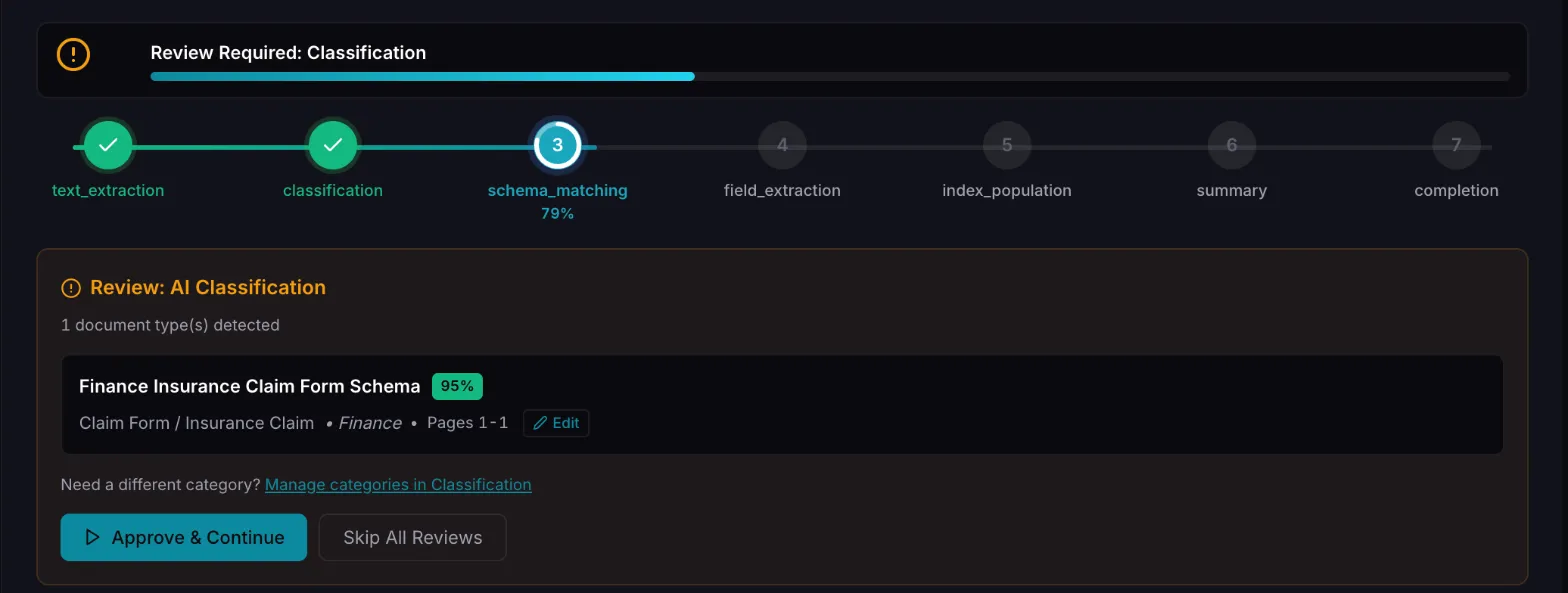
Switch on Human in the Loop for an upload and the pipeline pauses after each step. A reviewer approves or corrects, and processing resumes from the point where it paused.
- Review steps for extracted text, classification, schema matching, field extraction and summaries
- Results above the confidence thresholds can skip review; classification always pauses when review is on
- Corrections are kept and reused as examples within your own tenant
- Reviewers can view the source document page while they review
Summaries, search and chat
Work with the documents afterwards
Generate a summary for each document, group files in smart folders, and ask questions in plain language across the documents you have processed.
- Document summaries from templates you can adjust
- Keyword, vector and hybrid search across documents
- Chat over documents, with extracted fields exportable as JSON or CSV
- Relationship linking and claim summaries are available for workers' compensation only
API and webhooks
Send documents in, get events out
Track processing as asynchronous jobs and register webhooks for document events such as classified, fields extracted, summarised, completed or failed.
- Webhook deliveries are retried with backoff and can carry a signature
- Key-based upload through the remote API is available on Private and Enterprise deployments
- There are no prebuilt connectors for email, SFTP, scanners or practice-management tools today
Choose where it runs
The platform is the same; isolation and controls differ by plan. Prices are on the pricing page.
| Feature | Starter | Professional | Private | Enterprise |
|---|---|---|---|---|
| Where it runs | Shared SKIFIN host | Shared SKIFIN host | Your Azure subscription | Managed in your Azure subscription |
| Data isolation | Separate database per tenant | Dedicated database account | Single tenant | Single tenant |
| BAA available | Not included | Included | Included | Included |
| Customer-managed keys | Not included | Not included | Included | Included |
| Microsoft Entra single sign-on | Not included | Not included | Not included | Included |
| Optional two-factor sign-in | Included | Included | Included | Included |
| Key-based upload API | Not yet | Not yet | Included | Included |
Compute is shared on Starter and Professional. Starter is intended for synthetic or non-PHI documents. Details: Security and trust · Pricing.